Calendars, sensors, and services
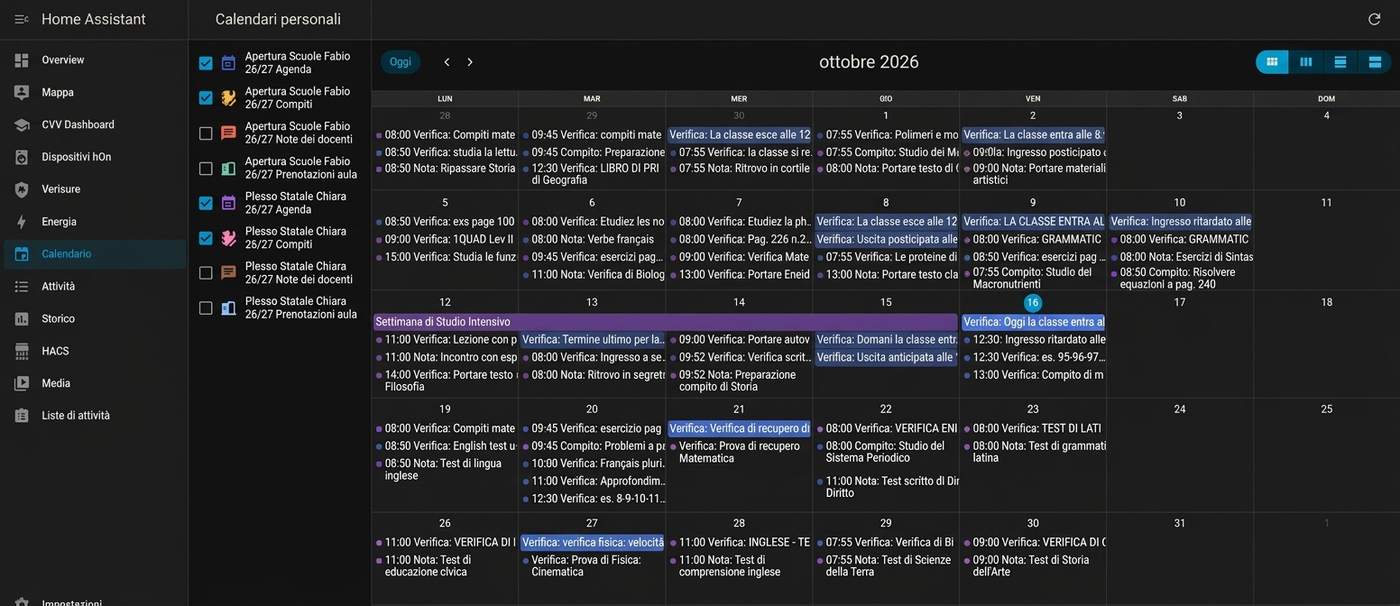
CVV Dashboard adds sensors and four calendars for each configured student.
Calendars
| Calendar | Contents |
|---|---|
| Agenda | Homework and notes, except room bookings. |
| Compiti | Assigned homework. |
| Note dei docenti | Teacher notes, notices, and virtual classroom events. |
| Prenotazioni aula | Room bookings. |
Enable calendars in Calendar in Home Assistant. You can also use their entity IDs in a Lovelace Calendar card. Find the exact IDs in Developer tools > States.
Sensors
| Sensor | Data |
|---|---|
| Media | General average, subject averages, term averages, and year. |
| Voti | Mark count, marks, and the number of insufficient marks. |
| Agenda | Events, homework, and notes. |
| Bacheca | Unread notices, notice text, attachments, and skipped items. |
| Note | Teacher comments and disciplinary notes. |
| Scrutini | Published report cards and download links. |
| File Docenti | Files that teachers shared. |
Attributes can include personal school data. Do not post them in a public issue.
Services
| Service | Action |
|---|---|
cvv_dashboard.aggiorna |
Request a data refresh now. |
cvv_dashboard.carica_testi_bacheca |
Load missing notice text. It does not mark notices as read. |
cvv_dashboard.leggi_comunicazione |
Load a full notice and mark it as read on the ClasseViva register. |
For more than one configured student or year, choose the correct account when the service asks for one.
Attachments and report cards
CVV Dashboard provides signed download links for notice attachments. A link stays valid for 12 hours. Opening a report card from the card does not record that you viewed it.
Opening a notice with Leggi tutto marks it as read. Use Carica testi if you want to load missing text without changing its read state.