Views and symbols
CVV Dashboard uses Italian labels because these are the labels in the card. The symbols stay next to the labels. Below 460 pixels, the card shows only the symbols.
Card views
| Symbol | Label | Data |
|---|---|---|
| ◎ | Medie | General average and term results. |
| ▤ | Voti | General average, subject results, and recent marks. Select a subject to see its marks. |
| ✉ | Bacheca | School notices, text, and attachments. Use the unread filter to show unread notices. |
| ▦ | Agenda | Events and notes by date. Events start from today and use ascending date and time order. |
| ✎ | Annotazioni | Teacher comments and disciplinary notes. |
| ★ | Scrutini | Published report cards. Download a report card from the card. |
| 📝 | Compiti | Homework by date. |
Examples
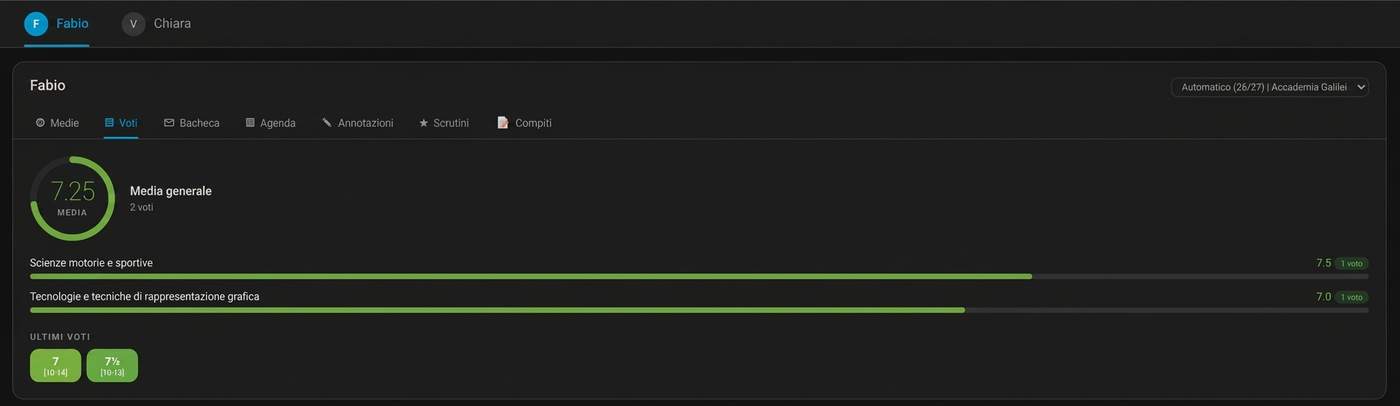
The Grades view shows the general average, subject results, and recent marks.
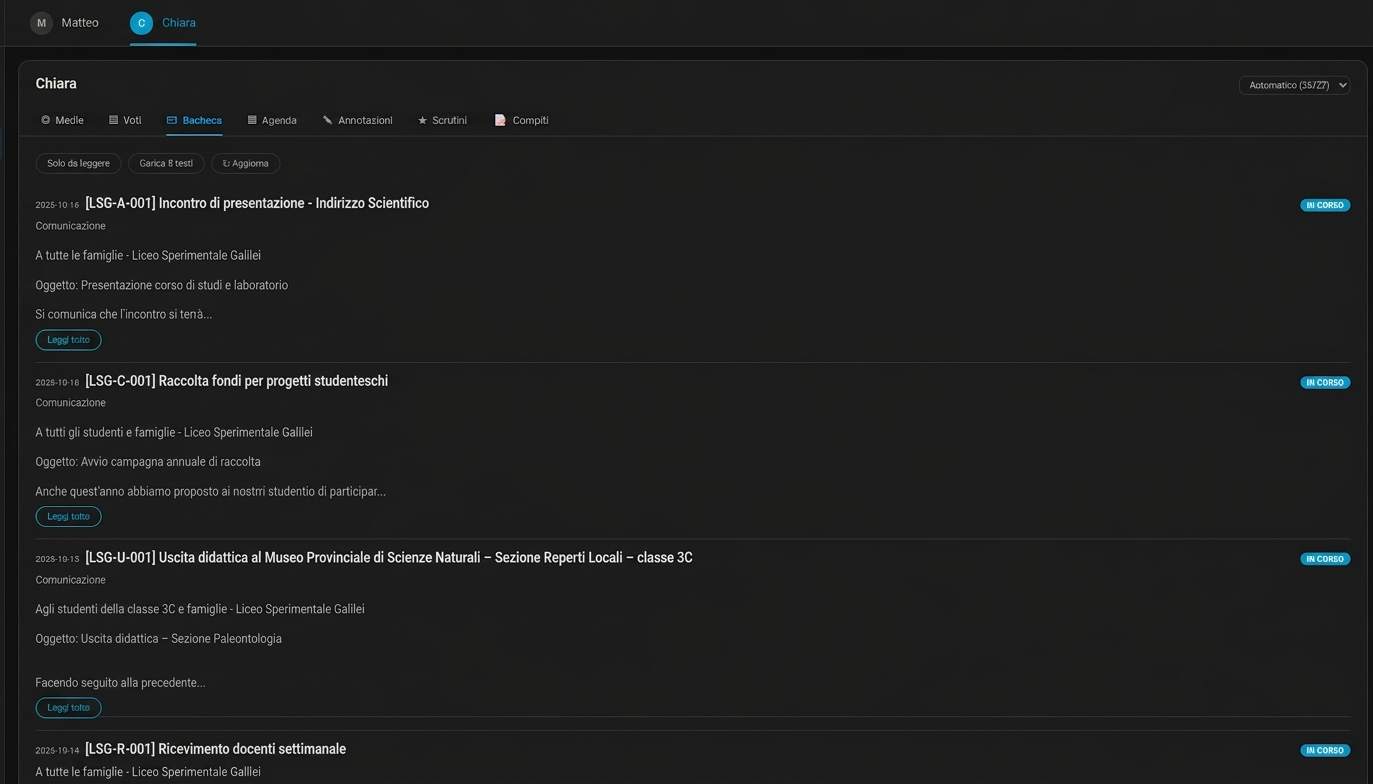
The Bacheca view shows school notices. Use Solo da leggere to filter unread notices. Use Carica testi to load notice text without changing its read state.
The vista value combo shows all available views. The value note opens Annotazioni. This view has two subviews:
- Annotazioni: comments from teachers.
- Note disciplinari: disciplinary notes.
Controls
| Label | Purpose |
|---|---|
| Solo da leggere | Show unread notices in Bacheca. |
| Carica testi | Load missing notice text. This does not mark the notices as read. |
| Aggiorna | Request a data refresh. |
| Automatico | Follow the current school year. |
| Mostra nel menu laterale | Add the CVV Dashboard panel to the Home Assistant sidebar. |
The year selector appears when more than one year is available. The selection stays in the browser. On the student panel, it applies to all students.
HACS update alert
On a version that supports this function, a yellow ! can appear before the student name on a card or in the student panel. It means HACS reports an update for CVV Dashboard.
Select the symbol to open the CVV Dashboard item in HACS. Install the update there. The symbol appears only when HACS is installed, HACS reports an update, and the Home Assistant user has administrator access. Older releases may not have this function.
Card options
| Option | Values | Default |
|---|---|---|
vista |
medie, voti, bacheca, agenda, note, scrutini, compiti, combo |
combo |
account |
Account suffix from the entity ID | Detected account |
anno_scolastico |
A year, for example 25/26 |
Latest year |
titolo |
Heading text; an empty value hides the heading | Student name |
animazioni |
true or false |
true |
selettore_anno |
true or false |
true |
versione |
true or false; show the card version |
false |
Options for vista: medie:
| Option | Values | Default |
|---|---|---|
layout |
auto, verticale, orizzontale |
auto |
dimensione |
Circle size in pixels | 170 |
periodi |
true or false; show term lines |
true |
massimo |
Maximum mark value | 10 |
Example:
type: custom:cvv-dashboard-card
vista: medie
layout: verticale
dimensione: 190
periodi: true
massimo: 10
Grades and messages
Grades use a colour scale from red to green. Bacheca text is formatted for display. Links open in a new browser tab. The card does not run scripts from a notice.
Opening a notice with Leggi tutto marks it as read on the ClasseViva register. Opening a report card from this card does not record that you viewed it.